PivoHub is a web app, which means you can use it from any web browser (Chrome, Firefox, Safari, etc.). To make your navigation easier, it's easy! Here are the steps to follow depending on whether you have an Android or Apple (iPhone) phone.
You won't find PivoHub on the AppStore or the Play-Store, indeed PivoHub is designed to be used from a regular browser.
For Android
Open your browser and go to pivohub.com/app. Login to your account.
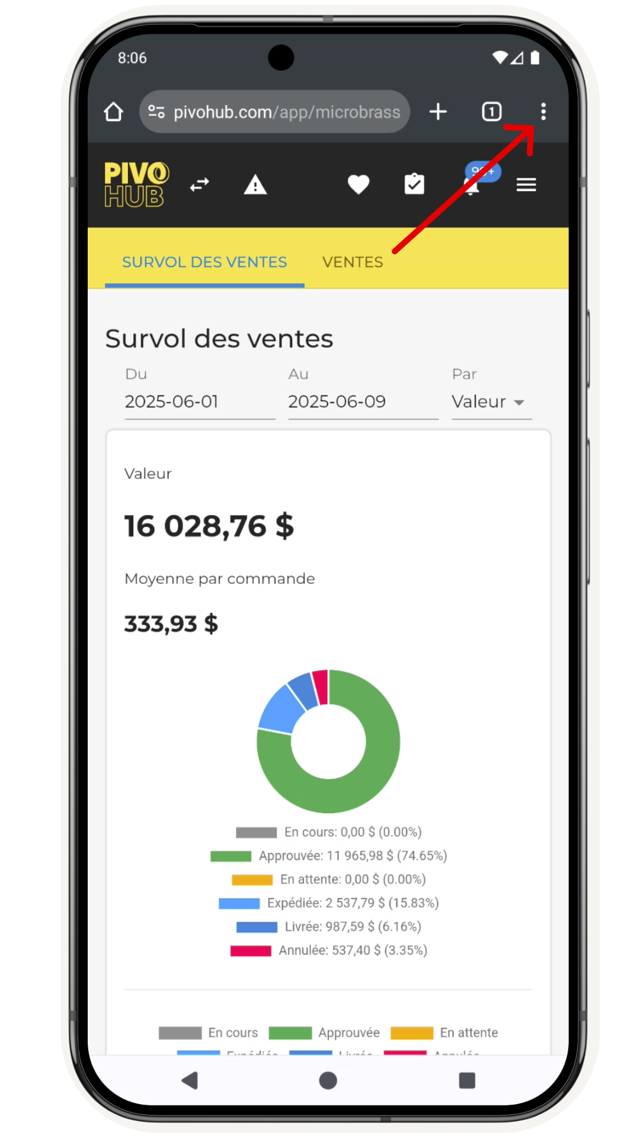
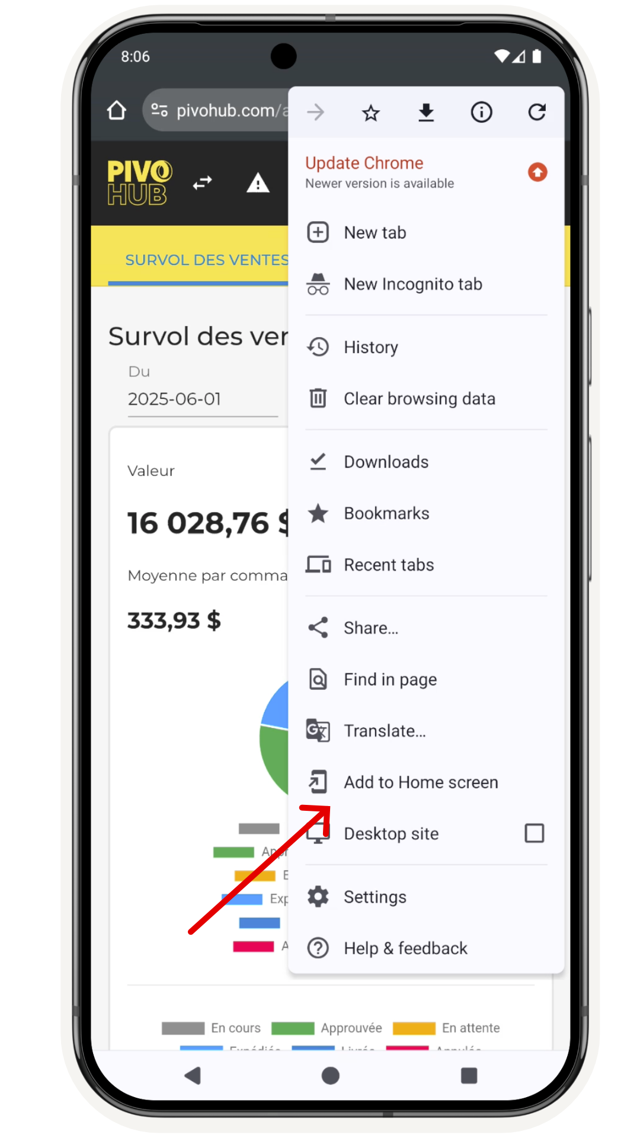
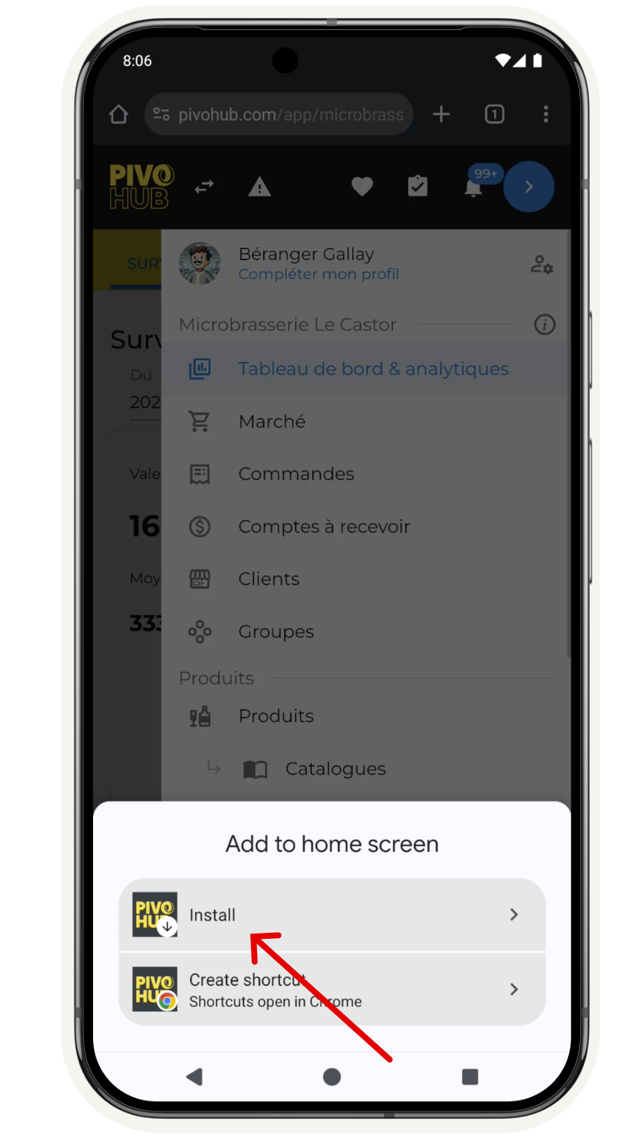
PivoHub is now on your home screen and will be easily accessible.
For iPhone
Open your browser and go to pivohub.com.
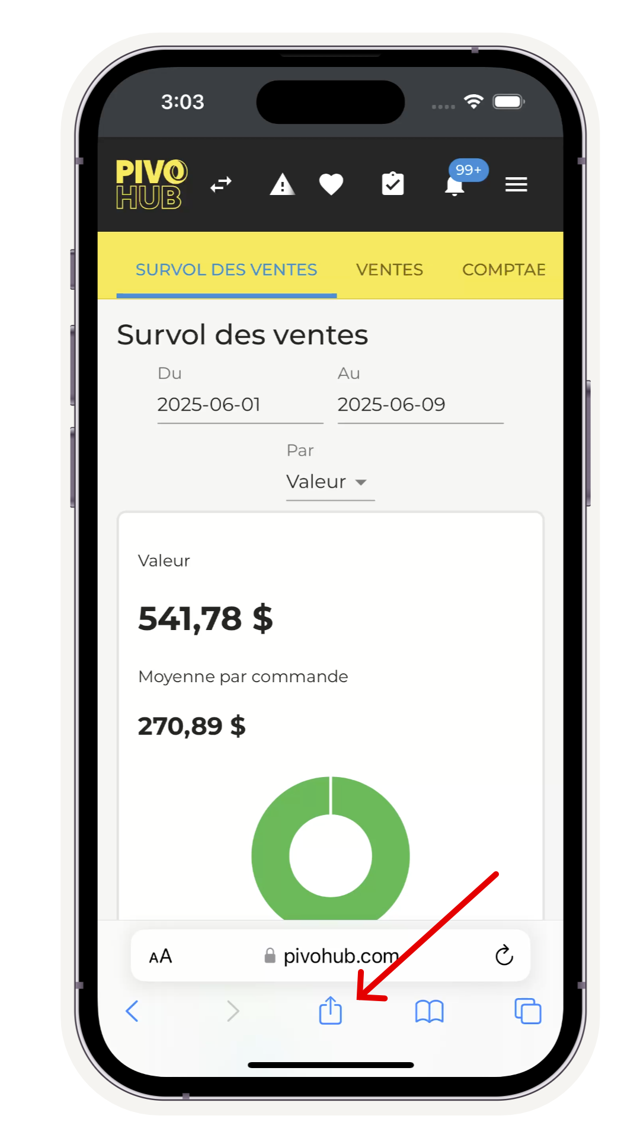
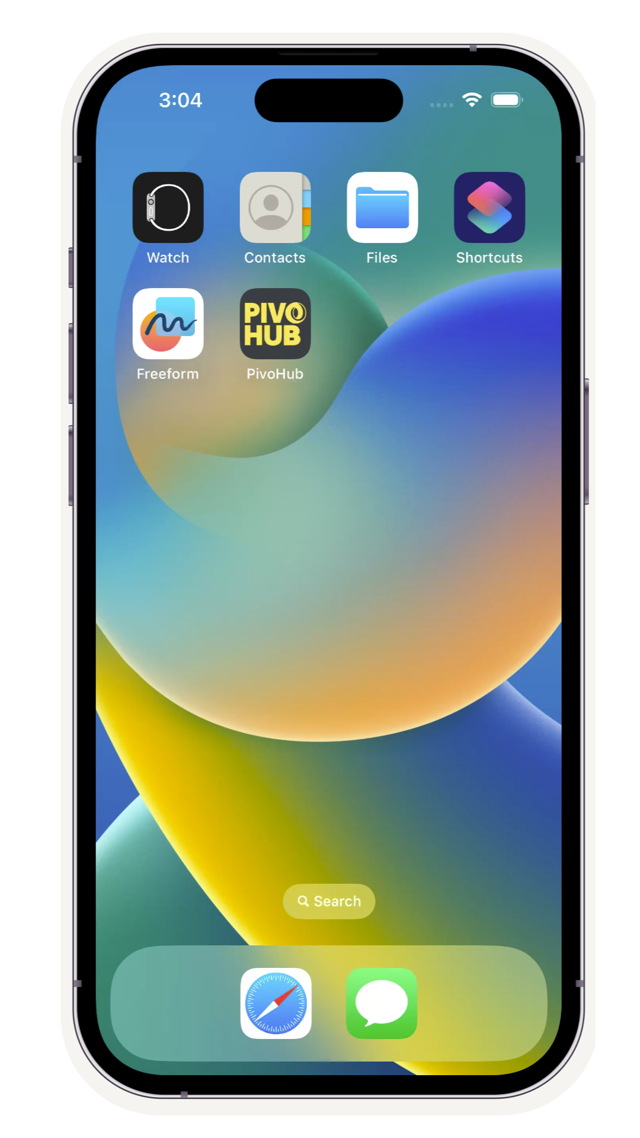
PivoHub is now on your phone's home page.
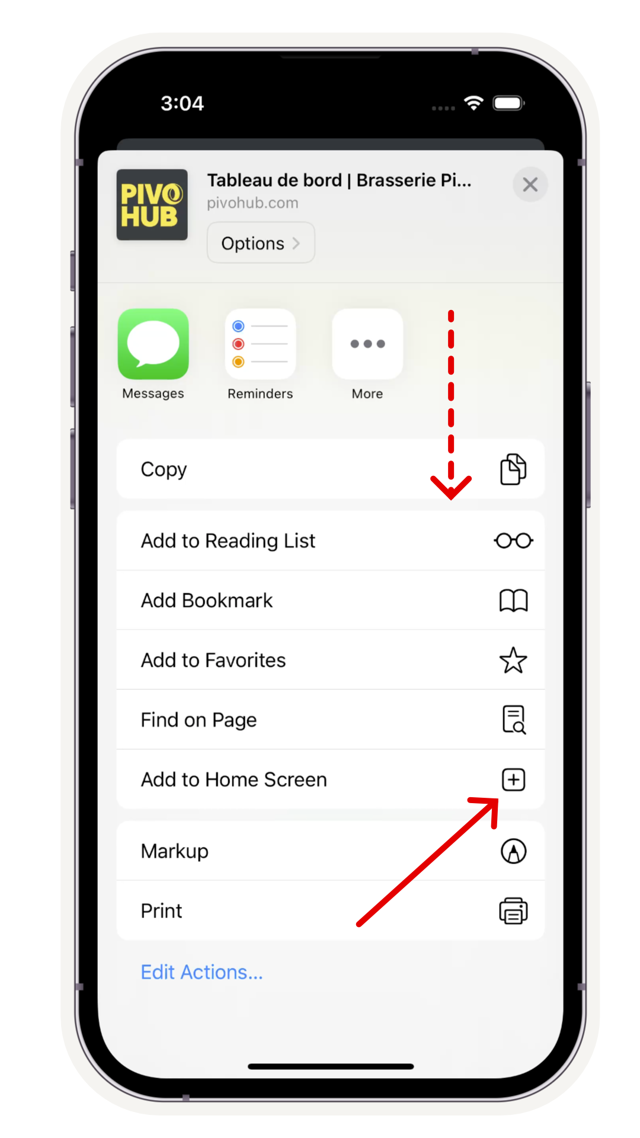
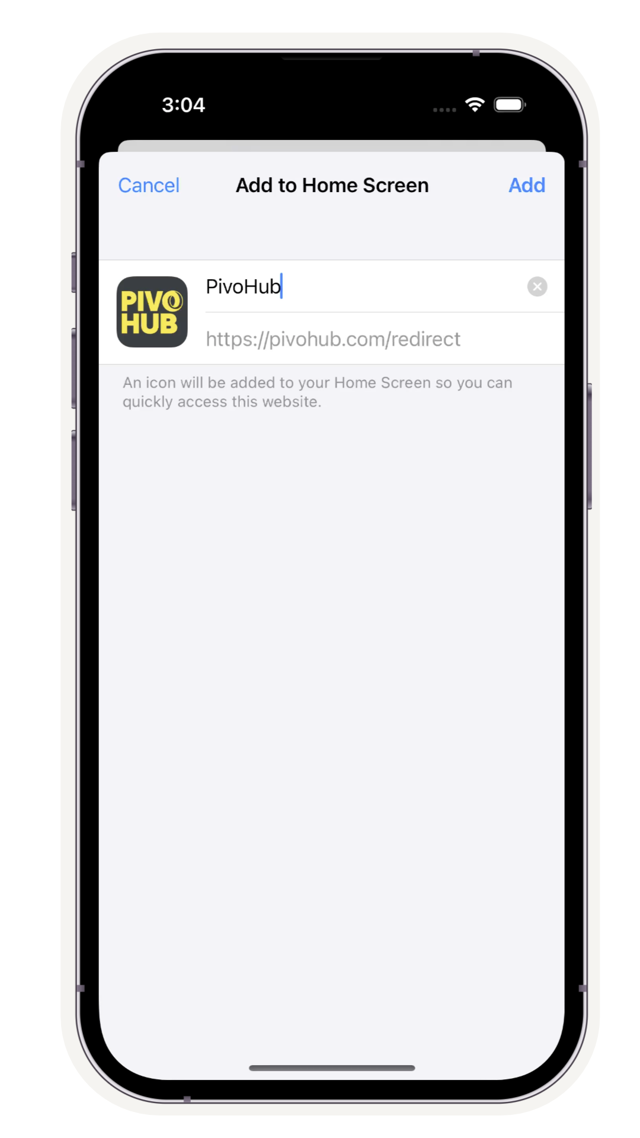
Was this article helpful?
That’s Great!
Thank you for your feedback
Sorry! We couldn't be helpful
Thank you for your feedback
Feedback sent
We appreciate your effort and will try to fix the article